هل تريد إنشاء حملة إعلانات جوجل لأول مرة ولا تعرف من أين تبدأ؟ في هذا الدليل الشامل سنأخذك خطوة بخطوة من فتح حسابك في جوجل إعلانات وحتى إطلاق أول حملة ناجحة لك.
ما هي إعلانات جوجل ولماذا تحتاجها؟
إعلانات جوجل (Google Ads) هي أقوى منصة إعلانية في العالم تتيح لك الظهور أمام عملائك المحتملين لحظة بحثهم عن منتجاتك أو خدماتك. مع أكثر من 8.5 مليار عملية بحث يومية على جوجل، لا توجد فرصة تسويقية أفضل من هذه.
الخطوة 1: إنشاء حساب جوجل إعلانات
توجه إلى ads.google.com وسجّل بحساب Gmail. ستحتاج إلى:
- بريد إلكتروني Google نشط
- موقع إلكتروني أو صفحة هبوط جاهزة
- بطاقة ائتمانية للفاتورة
الخطوة 2: اختيار هدف الحملة
جوجل إعلانات يسألك في البداية عن هدفك الرئيسي. اختر ما يناسب نشاطك:
- المبيعات — لزيادة الشراء من موقعك أو متجرك
- العملاء المحتملين — لجمع بيانات عملاء مهتمين
- حركة زيارات الموقع — لزيادة الزيارات
- الوعي بالعلامة التجارية — لإيصال رسالتك لأكبر شريحة
الخطوة 3: اختيار نوع الحملة
بعد تحديد الهدف، ستختار نوع الحملة:
- شبكة البحث — إعلانات نصية تظهر في نتائج بحث جوجل ✅ الأفضل للمبتدئين
- الشبكة الإعلانية — إعلانات بانر على ملايين المواقع
- التسوق — لعرض منتجاتك مع صور وأسعار
- الفيديو — إعلانات على يوتيوب
- Performance Max — حملة ذكاء اصطناعي على كل القنوات
الخطوة 4: الكلمات المفتاحية
الكلمات المفتاحية هي قلب حملتك. استخدم Google Keyword Planner لاكتشاف الكلمات التي يبحث عنها عملاؤك. ابدأ بـ 10-15 كلمة متعلقة بنشاطك واستخدم المطابقة التامة [كلمة مفتاحية] لتحكم أفضل في الميزانية.
الخطوة 5: كتابة الإعلان
الإعلان الجيد يتكون من:
- 3 عناوين (30 حرف لكل منها) — اجعل الأول يحتوي كلمتك المفتاحية
- 2 وصف (90 حرف لكل منها) — اذكر الفائدة والدعوة للتصرف
- رابط العرض — اجعله واضحاً وذا صلة
الخطوة 6: تحديد الميزانية والعروض
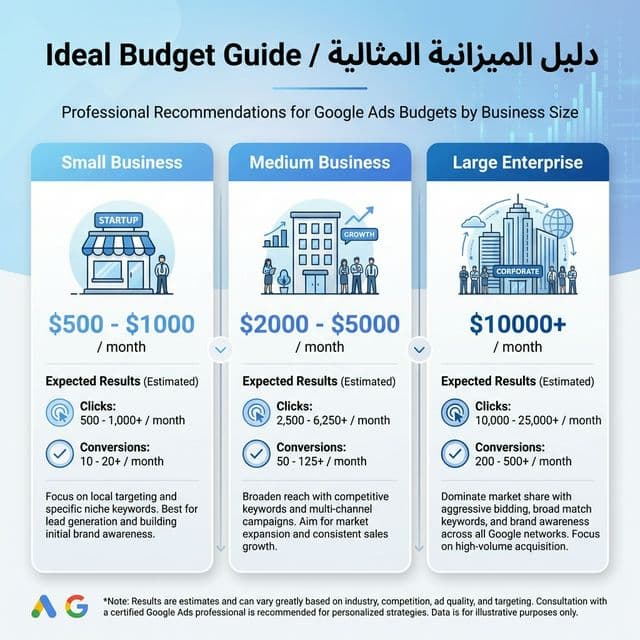
للمبتدئين، ابدأ بـ 30-50 ريال يومياً واستخدم استراتيجية "زيادة النقرات" إلى أن تجمع بيانات كافية. بعد 2-4 أسابيع، انتقل إلى "تعظيم التحويلات" للحصول على أفضل عائد.
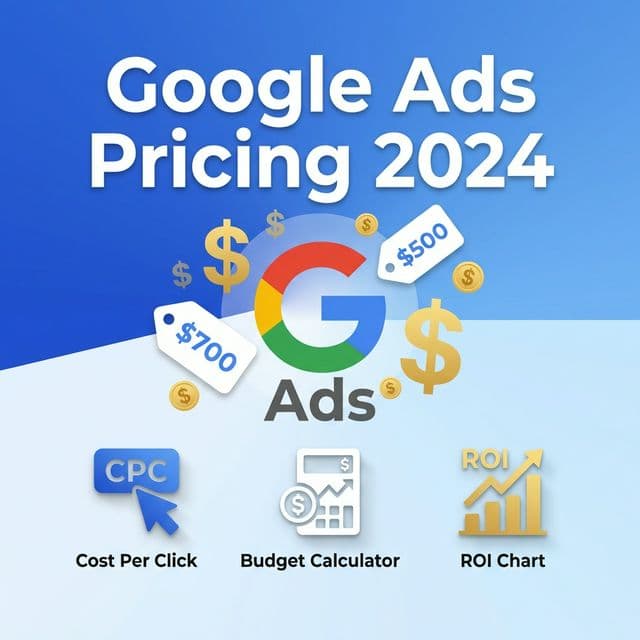
لمعرفة أسعار الإعلانات بالتفصيل، اقرأ مقالتنا: سعر إعلانات جوجل 2026 — دليل التكلفة الشامل
الخطوة 7: إطلاق الحملة والمراقبة
بعد مراجعة كل الإعدادات، اضغط "نشر الحملة". راقب في الأيام الأولى:
- CTR (نسبة النقر): يجب أن تكون أعلى من 3%
- CPC (تكلفة النقرة): قارنها بمتوسط القطاع
- معدل التحويل: الهدف 2-5% على الأقل
هل تريد إنشاء حملتك في 30 ثانية بالذكاء الاصطناعي؟
بدلاً من الخطوات السبع هذه، Furriyadh تتيح لك إنشاء حملة إعلانات جوجل كاملة بالدردشة مع الذكاء الاصطناعي. صف نشاطك التجاري وسيتولى الذكاء الاصطناعي كل شيء — الكلمات المفتاحية، كتابة الإعلانات، وضبط الميزانية. ابدأ مجاناً الآن.